HR Operations Suite
SAP SuccessFactorsAccelerate Your SAP SuccessFactors Testing with Intelligent Test Data Generation.
Evolved with intelligent capabilities to transform how you manage enterprise testing, our SAP SuccessFactors Test Data Generator automates employee and foundation data creation. Manage repeatable run variants and ensure flawless test cycles: fast, accurate, and test-ready.
The challenge
The Complexity of SAP SuccessFactors Testing
The roadblocks to seamless integration testing

As your SAP SuccessFactors landscape grows, so does the need for rigorous testing. Managing test environments, creating realistic employee data, and ensuring accurate foundation entities often overwhelms even the most experienced HR teams. Traditional manual data creation can no longer keep pace with the speed of cloud evolution.
- Extensive Data Creation Needs
Creating test employees and configurations manually is time-consuming and increases the risk of critical testing gaps.
- Unreliable Test Cycles
Using test data that doesn't perfectly fit your integration scenarios leads to replication errors and postponed go-lives.
- Lack of Repeatability
Manually reconfiguring the same data scenarios and filter options for recurring test cycles drains your HRIT resources.
- Complex Foundation Data
Without robust mock data for foundation entities, achieving true system alignment across your Dev, QA, and Prod environments is nearly impossible.
The solution
A smarter way to generate, manage, and scale test data
The INTEGRTR SAP SuccessFactors Test Data Generator takes the manual work out of test preparation. Built on a foundation of intelligent automation, you get unprecedented flexibility, repeatable variants, and robust foundation data in just a few clicks. So your HRIT team can stop fixing errors and start executing flawless test cycles.
Automated Employee Cloning
Create test data meeting your exact system requirements
- Automated creation of realistic employee data
- Reference-based cloning for complete accuracy
- High-volume generation to save critical time
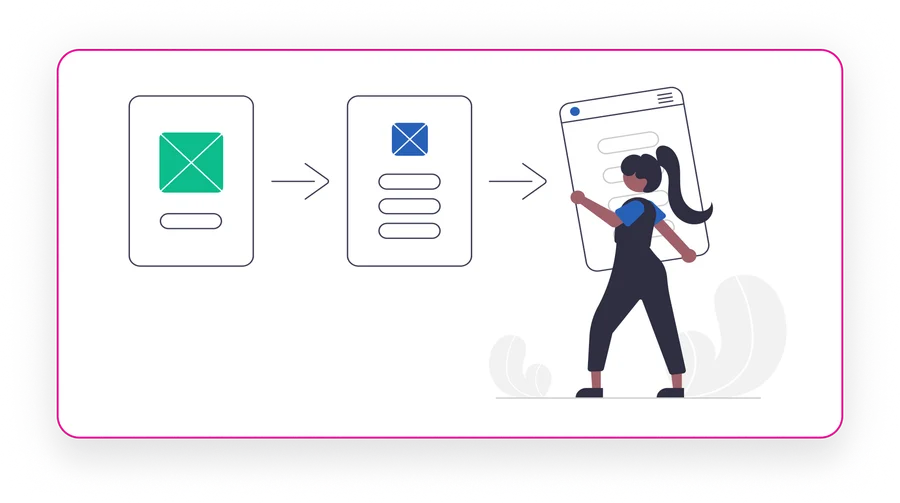
Variant & Template Management
Save and run your data scenarios for highly repeatable testing
- Create and edit saved Run Variants
- Dedicated Variant Mode for pre-selected filters
- Custom Mode for precise, on-the-fly control

Foundation Entity Enhancements
Comprehensive support beyond basic employee profiles
- Robust Foundation Data generation
- Custom intelligent filter flows
- Seamless OData query integration
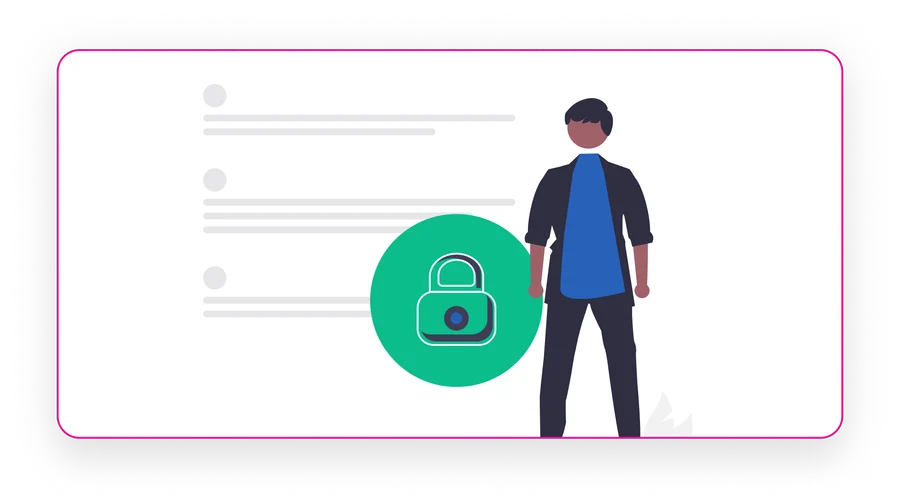
Run Stage Visibility
Gain total governance over your data generation process
- Revisit historical run stages instantly
- Monitor real-time generation statuses
- Proactive error identification and logging

Capabilities
Key Features
What powers our SAP SuccessFactors Test Data Generator
“Automate the process of creating new test employees based on reliable references.”

Generate accurate, real-world test cases.
- Reference-Based Generation: Define one reference employee as the intelligent baseline for all new test employees, ensuring your test data matches your exact system setup.
- High-Volume Scalability: Create as many employees as you need while you grab a coffee. The system clones records seamlessly in the background.
Why it matters
Assists HR Administrators and Consultants by fast-tracking test cycles, eliminating manual data entry, and saving critical time before go-live.
“Testing needs to be repeatable. Save and run your data scenarios with unprecedented flexibility.”
Track, manage, and execute with precision.
- Powerful Run Variants: Create, edit, and delete run variants for specific templates, allowing you to save exact filter options for faster, repeatable data generation.
- Dual Execution Modes: Seamlessly switch between a dedicated "Variant Mode" using pre-selected filters, or "Custom Mode" to maintain the exact level of control you need for unique scenarios.
Why it matters
Transforms enterprise testing from a manual chore into a highly repeatable, automated workflow, drastically reducing setup time for recurring test cycles.
“Confidently execute integration scenarios with robust, intelligent mock data.”

Ensure your test data perfectly mimics production.
- Comprehensive Entity Support: Go beyond basic employee records by generating robust foundation entity data tailored to your specific organizational structures.
- Intelligent Query Integration: Utilize custom filter flows and deep OData query integration to pull and shape the exact foundation data required for complex test cases.
Why it matters
Empowers HR and IT teams to perform deep integration testing with confidence, ensuring consistency and reducing risks across multiple instances.
“Gain total control and oversight over your data generation process.”

Stay in the know without digging through change logs.
- Complete Stage Access: Revisit different stages of a run at any time to access data, view live statuses, and maintain complete oversight of the generation pipeline.
- Proactive Error Identification: Easily identify and isolate errors at specific stages before they impact your broader SAP SuccessFactors testing environment.
Why it matters
Provides complete transparency and governance, ensuring your testing phase is never derailed by unseen data inconsistencies.
The impact
The Enterprise Impact
Real results for your HRIT team
- Free Your Team to Focus on Strategy Shift from tedious manual data creation to high-value initiatives.
- Confident, Error-Free Test Cycles Ensure your test data is perfectly fit for your specific integration scenarios every single time.
- Strengthen Control Without Slowing Down Maintain complete governance over what data was created and when, without adding friction to your operations.
- Accelerate the Testing Phase Kick off new testing rounds instantly with repeatable Run Variants, keeping project timelines on track.
Disclaimer: SAP, SAP BTP, SuccessFactors, Employee Central and SAP Integration Suite are registered trademarks of SAP SE.
Customer voice
Transformational Results from Our Customers' Business
Join the INTEGRTR customers empowering their workforce with HRDG


With the implementation of SAP SuccessFactors Employee Central (including payroll data) as our global HR system, we laid the foundation for a unified cloud-based master data system with interfaces to our two payroll systems, SAP S/4HCM and Paychex. Thanks to INTEGRTR Assist & Monitor, we ensure seamless data replication in our hybrid landscape, automate processes and close existing process gaps, minimizing errors and reducing the workload for our HR department.

Frequently asked questions
How do I generate test data in SAP SuccessFactors without manual entry?
The most efficient method is using an automated data generation tool rather than relying on manual HR inputs or spreadsheets. INTEGRTR automatically clones realistic test employees based on your existing system references, allowing you to bypass manual data entry and instantly populate your Dev or QA environments.
Can I safely clone employee profiles for testing in SuccessFactors?
Yes. Instead of using real, sensitive production data that could violate compliance, you can use reference-based cloning. This allows you to select a "baseline" employee profile and automatically generate hundreds of highly accurate, anonymous test records that perfectly mimic your real-world organizational structure.
How do I replicate complex foundation objects for QA testing?
Testing requires more than just basic user profiles; you need accurate organizational data. Instead of manually rebuilding these structures, advanced tools allow you to use custom filter flows and OData query integrations to automatically generate robust foundation entity data that aligns perfectly with your production instance.
What is the best way to speed up SAP SuccessFactors regression testing?
The biggest bottleneck in regression and biannual update testing is usually data preparation. By automating the creation of your test data and saving specific "Run Variants" (pre-configured data scenarios), your HRIT team can execute repeatable test cycles instantly, significantly reducing your time-to-market for new releases.
How do I ensure my test data perfectly matches my integration scenarios?
Generic test data often causes replication errors during integration runs. To avoid this, you should use a targeted generation approach. By utilizing customizable run modes and intelligent filters, you can dictate exactly what attributes your mock data contains, ensuring it perfectly satisfies the complex requirements of your specific integration tests.
Looking to upgrade your enterprise integration?
Talk to our SAP SuccessFactors, S/4HANA and Workday integration experts about your landscape.