Go-Live Suite
Ensure Seamless Data Loading & Cutover in SAP HCM
Backup, restore, and validate HR data with confidence. INTEGRTR Data Load Manager (DLM) simplifies and accelerates SAP HCM Migration Testing, especially around BIB integration for PA/OM between SAP SuccessFactors and SAP ERP. With automated backup, restore, and validation features, DLM ensures error-free cutover activities and smooth data replication throughout your migration lifecycle.
The challenge
Complexity in Data Migration & Testing
Manual Efforts, Missed Errors, and Repetitive Work

Testing and executing cutover activities in SAP HCM and SuccessFactors can be time-consuming and error-prone:
Without a structured solution, ensuring data consistency across integration runs becomes a major challenge during SAP HCM Migration Testing.
- Time-Consuming & Resource-Intensive
Repetitive testing in multiple environments requires duplicating efforts, manually creating data, and analyzing reports.
- Error-Prone & Lacking Visibility
Identifying discrepancies between testing iterations without structured monitoring leads to data quality issues.
- Cumbersome Manual Reporting
Generating and comparing data across job runs requires extensive spreadsheet work and manual intervention.
The solution
The Smarter Way to Test and Execute HR Data Migration & Cutover

DLM is a dedicated solution designed to simplify and streamline the SAP HCM cutover process. By providing a single interface for data backup, restore, monitoring, and comparison, DLM eliminates inefficiencies and enhances test accuracy.
It replaces manual spreadsheet comparisons and duplicated data creation with structured, automated validation across every environment. Your team can securely back up SAP HCM Infotypes, trigger integration loads, maintain test data, and automatically compare datasets between iterations, all without any manual reporting work.
- Back up & restore HR Infotypes before every master data job, with a safe rollback if a run fails.
- Monitor & compare replication runs and aggregated logs from one consolidated view.
- Validate data consistency between test iterations to catch discrepancies early.
Capabilities
Key Features of INTEGRTR DLM
Backup, restore, validate, and monitor from a single interface
Backup & Restore HCM System Data
Maintain & Compare Integration Runs
Monitor Aggregated Logs
Automated Testing & Validation
Intuitive Dashboard
Why you'll love it
The Confidence Boost Your HR Team Needs
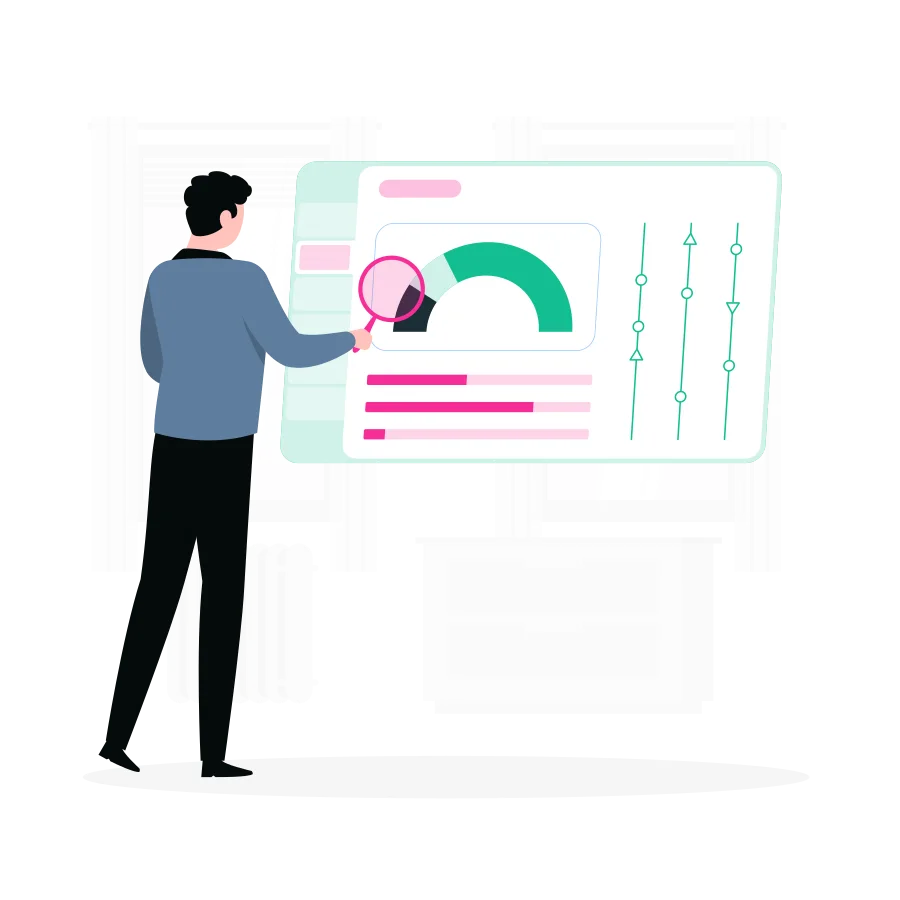
From backup to validation, DLM puts you in control of your SAP HCM data.
- Save Time & Reduce Costs Eliminate manual test reporting and improve resource efficiency.
- Ensure Data Integrity Easily track and analyze changes across integration runs.
- Streamline Cutover Execution Reduce risks by maintaining control over test data.
- Improve Testing Quality Validate replication success with structured reports.
Customer voice
Transformational Results from Our Customers' Business
Join the INTEGRTR customers transforming their HR data operations


With the implementation of SAP SuccessFactors Employee Central (including payroll data) as our global HR system, we laid the foundation for a unified cloud-based master data system with interfaces to our two payroll systems, SAP S/4HCM and Paychex. Thanks to INTEGRTR Assist & Monitor, we ensure seamless data replication in our hybrid landscape, automate processes and close existing process gaps, minimizing errors and reducing the workload for our HR department.

Flyer
Download the DLM Flyer
Get the complete DLM overview (capabilities, use cases, and technical details) straight to your inbox.
Load the form to continue
We keep this form off the page until you are ready, so nothing loads by default. Loading it lets HubSpot set the cookies it needs to receive your details.
No cookies are set until you choose to load it.
Disclaimer: SAP, SAP BTP, SuccessFactors, Employee Central and SAP Integration Suite are registered trademarks of SAP SE.
Frequently asked questions
How do I automate SAP HCM migration testing?
Automating SAP HCM migration testing requires replacing manual spreadsheet comparisons with a dedicated testing solution. INTEGRTR Data Load Manager (DLM) automates backup, restore, and validation for SAP SuccessFactors and SAP ERP integrations, significantly reducing manual effort and improving test accuracy during the cutover phase.
What is the safest way to handle cutover activities for SAP SuccessFactors?
The safest way to execute HR data cutovers is by using a tool that guarantees safe data rollbacks. INTEGRTR DLM lets HRIT teams securely backup SAP HCM Infotypes before running master data jobs and easily restore them if an error occurs during the SuccessFactors migration.
How can we effectively test BIB integration between SuccessFactors and SAP ERP?
Testing Business Integration Builder (BIB) for PA/OM data requires tracking multiple replication runs across environments. INTEGRTR DLM provides an intuitive dashboard to trigger integration loads, maintain test data, and automatically compare datasets between testing iterations without any manual spreadsheet work.
How do you identify data discrepancies during an SAP HR migration?
Instead of manually cross-referencing job runs and logs, INTEGRTR DLM automatically compares datasets between test iterations. It monitors aggregated logs and provides a consolidated view of process-level errors, making it easy to spot data discrepancies, track split reports, and ensure data integrity.
Why is manual testing risky for SAP HCM data migrations?
Manual testing relies on duplicating data creation efforts across multiple environments and analyzing complex reports in Excel. This lack of structured monitoring leads to missed errors and severe data quality issues at go-live. A tool like INTEGRTR DLM enforces structured, automated validation to eliminate these risks.
Can INTEGRTR DLM help with SAP HCM system rollbacks?
Yes, INTEGRTR DLM features a dedicated "Restore" capability specifically designed for migration testing. By securely backing up your SAP HCM system data prior to a test cycle, you can execute a safe and immediate rollback if an integration run fails, ensuring your core HR data remains uncorrupted.
Looking to upgrade your enterprise integration?
Talk to our SAP SuccessFactors, S/4HANA and Workday integration experts about your landscape.