SAP SuccessFactors DATEV Integration
20 August 2026 · By Nitish Mehta
A SAP SuccessFactors DATEV integration connects employee data in SAP SuccessFactors directly to DATEV, the most widely used accounting and payroll…


sap-successfactors
Nitish Mehta · 16 November 2026
Every active SAP SuccessFactors program runs into the same wall eventually: testing needs data that behaves like production, but production data has no business sitting in a QA tenant. Most teams solve this the hard way, by hand, one employee at a time, and pay for it in every cycle that follows. That's usually the point where teams start actively looking for a proper SAP SuccessFactors test data generation tool instead of another workaround.
The problem rarely shows up on the first round. A handful of test employees, built manually, is annoying but manageable. It's the fifth or fifteenth round where the cracks appear.
Building records field by field doesn't scale, and it isn't consistent. Two people setting up "the same" test scenario rarely produce identical results, which makes it hard to trust that a test actually validated what it claims to.
The common shortcut, refreshing a full instance, solves the realism problem and creates a bigger one. Real names, addresses, and compensation data end up sitting in a system with weaker access controls than production ever had. That's a data protection issue waiting for someone to notice, not just a testing inconvenience.
Even teams that do anonymize often do it inconsistently, scrambling PII fields one at a time without a shared reference. The result is a test employee whose job record, personal data, and payment information no longer point to the same fictional person, quietly undermining the realism the anonymization was meant to preserve. And a copy that stalls halfway through because a position or org unit it depends on doesn't exist yet just adds another manual fix to every cycle.
| Approach | Where it helps | Where it breaks down |
|---|---|---|
| Full instance refresh | Fast, gets everything in one pass | Real PII moves with it, too blunt for a single test scenario |
| Manual record creation | Total control over each field | Doesn't scale, impossible to reproduce exactly |
| Custom export/scramble scripts | Reusable once built | Needs developer maintenance, breaks as data models change |
None of these solve consistency, dependency handling, and repeatability at the same time, which is exactly the combination a dedicated tool needs to get right.
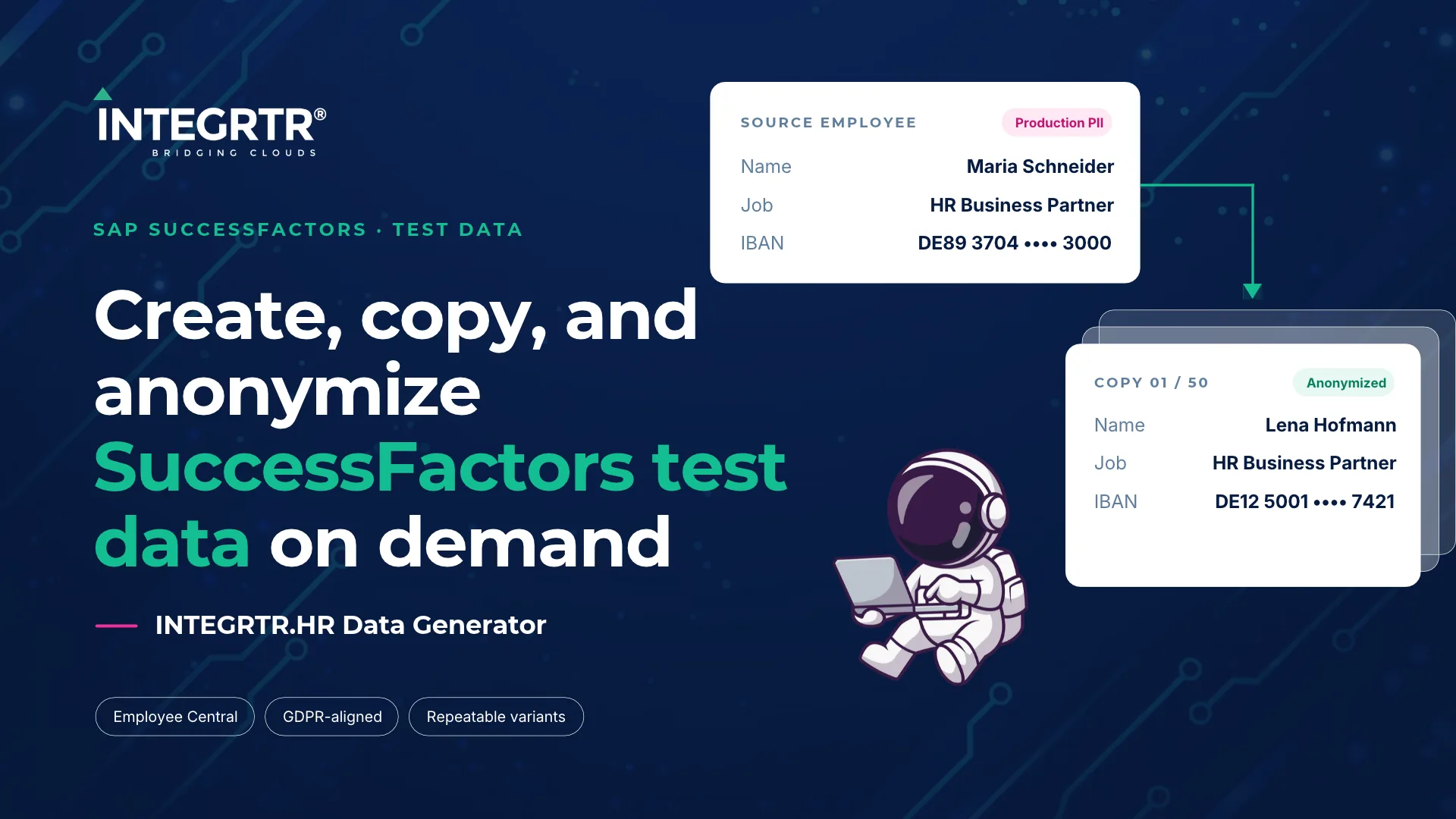
INTEGRTR.HR Data Generator (HRDG) is built for this gap. It's a template-driven way to create, copy, and anonymize SAP SuccessFactors Employee Central data on demand, without exposing production PII to non-production systems.
A template defines the source, the destination, the data type (Employee or Foundation), and exactly which entities and fields are in scope. Every run validates the data before anything moves, executes via OData batch for volume, and closes with a summary of what was copied, cross-system or within the same tenant.
For anonymized copies, HRDG applies a fresh key per dependent entity, with fake values swapped in for flagged PII fields. One fictional identity stays consistent across every related record and time slice, rather than getting scrambled piecemeal in a way that breaks the link between records, in line with the data minimisation principle under GDPR Article 5. Teams can generate up to 50 anonymized copies from a single source employee, each with its own downloadable Excel run report.
When a run hits a missing foundation record or position, HRDG doesn't fail outright. It automatically spawns a dependent run to create what's missing, then resumes the original run once that's resolved, a behavior you can toggle per system.
Testing rarely happens once. HRDG saves the filter configuration behind a run as a reusable variant, with per-field operators for precise scope control, so the same scenario can run again without being rebuilt from scratch. Variants execute as a complete copy or a delta capturing only what's changed, and can be scheduled rather than triggered manually every cycle. Paired with INTEGRTR.DLM for managing the broader test cycle across BIB testing scenarios, HRDG gives HRIT teams a genuinely repeatable path through SAP SuccessFactors testing.
If your team is still refreshing full instances or building test employees by hand, the cost isn't just time. It's real employee data sitting in systems it was never meant to touch. INTEGRTR.HR Data Generator replaces that with a controlled, repeatable process built specifically for this problem.
Book a walkthrough with our team to see HRDG against your own SAP SuccessFactors testing landscape.
Similar Posts
20 August 2026 · By Nitish Mehta
A SAP SuccessFactors DATEV integration connects employee data in SAP SuccessFactors directly to DATEV, the most widely used accounting and payroll…
20 August 2026 · By Nitish Mehta
Choosing the wrong SAP SuccessFactors integration partner is expensive, and the fees are the smallest part. The real cost is failed go-lives and…
23 July 2026 · By Parth Dhingra
Most Integrations on SAP Cloud Integration that replicate HR master data are built as scheduled batch jobs - a timer fires, a fixed OData query runs,…
Put it into practice
Talk to our SAP SuccessFactors, S/4HANA and Workday integration experts about your landscape.