

HR Operations Suite
SAP SuccessFactorsStreamline Your SAP SuccessFactors Documentation and Governance.
Reimagined with an AI core to transform how you manage system intelligence, INTEGRTR.System Documentation automates SAP SuccessFactors system documentation, compares configurations across environments, and reports on user-level RBPs: fast, accurate, and audit-ready.

The challenge
The Complexity of Maintaining SAP SuccessFactors
The Pain Points Slowing You Down (But Not for Long)

As your SAP SuccessFactors landscape grows, so does the need for accurate SAP SuccessFactors system documentation and oversight. Managing documentation, comparing configurations across environments, and ensuring Role-Based Permission (RBP) visibility across users and instances often overwhelms even the most experienced HR teams.
- Extensive Documentation Needs
Keeping track of configurations, permissions, and business rules manually is time-consuming and increases the risk of critical gaps.
- Multiple Environments
Each instance (Dev, QA, Prod) comes with its own set of configurations. Staying aligned across them isn't just tricky, it's essential.
- RBP Reporting
RBPs are powerful but intricate. Without visibility into who has access to what and where, governance and compliance take a hit.
- Biannual Updates
Every SAP SuccessFactors update brings change. Ensuring your setup remains stable demands time, testing, and continuous tracking.
The solution
The All-in-One AI-Powered Solution for Documentation, Governance, and Change Management
INTEGRTR.System Documentation automates SAP SuccessFactors system documentation and takes the manual work out of maintaining your system. Built on a foundation of intelligent discovery, you get real-time visibility, automated tracking, and audit-ready documentation in just a few clicks, so your HRIT team can stop firefighting and start focusing on what really matters.
Automated Documentation
for configurations, business rules, workflows, and picklists
- Up to Date System Records
- Reduced Manual Efforts
- AI-Mapped Configuration Dependencies
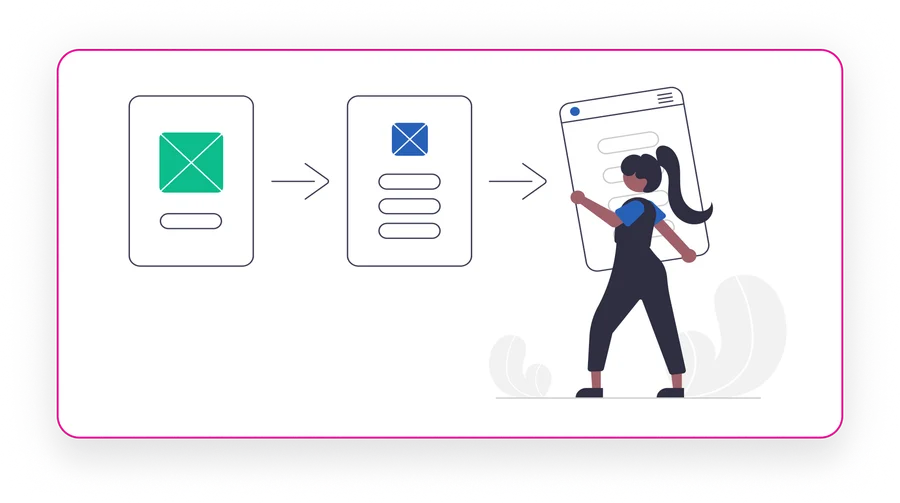
Configuration Comparison
to spot discrepancies across Dev, QA, and Prod environments
- Intelligent Cross-Instance Delta Detection
- Error-Free Deployments
- Accelerated Release Cycles

RBP Reporting
for detailed user-level access across roles and permissions
- Cross-Instance RBP Visibility
- Automated Anomaly & Over-Privilege Detection
- Supports Compliance and Internal Audits
Change History & Tracking
for a clear view of system configurations and changes
- Complete Version Traceability
- Improved Governance and Control
- Audit Trails Without the Hassle

Capabilities
Key Features
Everything INTEGRTR.System Documentation puts at your fingertips

Generate accurate, up-to-date records.
- Auto-Generate Records: Document configurations, business rules, picklists, and RBP settings automatically using AI-mapped dependency discovery. No middleware or exports required.
- Single Source of Truth: Ensure everyone has access to the most recent documentation enriched by intelligent contextual summaries across all environments.
Why it matters
Reduces manual effort, minimizes documentation gaps, and ensures that all teams work with accurate, real-time data.

Track, manage, and audit changes.
- User-Level Access Reports: Generate detailed RBP reports that break down permissions at the user, group, or role level while identifying over-privileged anomalies.
- Cross-Instance Alignment: Compare and align RBP structures across Dev, QA, and Production using predictive conflict detection to reduce access inconsistencies.
Why it matters
Supports compliance reviews, improves internal controls, and makes access management less of a guessing game.

Compare and make data-driven decisions.
- Compare Environments: Identify differences across instances via intelligent delta-tracking for key configuration elements like workflows, objects, and business rules.
- Data Driven Decision Making: Leverage centralized, real-time data and AI-highlighted insights for better HR and IT strategies.
Why it matters
Empowers HR and IT teams with actionable insights, ensuring consistency and reducing risks across multiple instances.

Stay in the know without digging through change logs.
- Automation Regression Testing: Validate system changes with AI-powered impact analysis for every SAP SuccessFactors update.
- Reduce Manual Errors: Save time and ensure smooth performance with minimal intervention using intelligent predictive mapping.
Why it matters
Prevents disruptions during updates, reduces reliance on manual testing, and ensures system reliability at scale.
How it works
Understand SAP SuccessFactors System Documentation and Governance better via the steps below
- 1
Connect
Securely link your SAP SuccessFactors environment(s) via a guided setup process. - 2
Capture
Our AI engine crawls and indexes existing configurations, RBPs, and business rules in real time. - 3
Compare & Validate
Automatically highlight inconsistencies across instances or track changes over time using intelligent delta detection. - 4
Automate & Report
Generate system documentation or compliance reports at the click of a button. - 5
Optimize
Use AI-generated insights to streamline governance, reduce errors, and prepare for upcoming SuccessFactors releases.
Why you'll love it
The game-changing benefits you can't ignore
- Free Your Team to Focus on Strategy: Shift from tedious documentation work to high-value initiatives. Let AI-driven automation handle the details, so your team can lead transformation, not chase down configurations.
- Confident Compliance, Always: Be ready for audits and access reviews with accurate, on-demand reports. Leverage AI to ensure your governance posture is proactive, not reactive.
- Stay Ahead of Every Update: Keep pace with SAP SuccessFactors' biannual releases while minimizing disruption. AI-augmented testing ensures stability across systems with a fraction of the effort.
- Strengthen Control Without Slowing Down: Get a unified view of your SAP SuccessFactors environment (who changed what, when, and where) without adding friction to your processes.
Customer voice
Transformational Results from Our Customers' Businesses
Join the INTEGRTR customers empowering their workforce


With the implementation of SAP SuccessFactors Employee Central (including payroll data) as our global HR system, we laid the foundation for a unified cloud-based master data system with interfaces to our two payroll systems, SAP S/4HCM and Paychex. Thanks to INTEGRTR Assist & Monitor, we ensure seamless data replication in our hybrid landscape, automate processes and close existing process gaps, minimizing errors and reducing the workload for our HR department.

Flyer
Download the System Documentation Flyer
Get the complete INTEGRTR.System Documentation overview (capabilities, governance features, and technical details) straight to your inbox.
Load the form to continue
We keep this form off the page until you are ready, so nothing loads by default. Loading it lets HubSpot set the cookies it needs to receive your details.
No cookies are set until you choose to load it.
Disclaimer: SAP, SAP BTP, SuccessFactors, Employee Central and SAP Integration Suite are registered trademarks of SAP SE.
Frequently asked questions
How do I automate my SAP SuccessFactors configuration workbook?
You can eliminate manual Excel tracking by using a tool like INTEGRTR.System Documentation. It connects securely to your SAP SuccessFactors environment to auto-generate accurate, real-time configuration workbooks, business rules, and picklists without requiring middleware or manual data exports.
How can I easily audit Role-Based Permissions (RBP) in SuccessFactors?
Auditing RBPs manually across instances is complex and risky. INTEGRTR automates RBP reporting by instantly generating detailed access reports at the user, group, or role level. It also allows you to compare RBP structures across Dev, QA, and Production environments to ensure compliance and simplify user access reviews.
What is the best way to compare SuccessFactors Dev, QA, and Prod environments?
The most reliable method is using an automated configuration comparison tool rather than checking screens manually. INTEGRTR automatically highlights discrepancies in workflows, objects, and business rules between your instances, ensuring quick environment alignment and error-free deployments.
How do I ensure my SAP SuccessFactors system is always audit-ready?
To stay permanently audit-ready, organizations must replace static documents with automated change history tracking. INTEGRTR provides complete version traceability, giving you a clear view of system configurations and changes over time. This creates instant, hassle-free audit trails for internal controls and compliance reviews.
How does automated documentation help with SAP SuccessFactors biannual updates?
Every biannual release introduces changes that require rigorous testing. Automated documentation systems track how your configurations evolve and help validate system changes through automated regression testing. This minimizes disruptions, reduces manual testing errors, and ensures system stability across all environments.
Looking to upgrade your enterprise integration?
Talk to our SAP SuccessFactors, S/4HANA and Workday integration experts about your landscape.